 SpeakCove
Drop in a file.
Hear it read aloud.
SpeakCove is a free text-to-speech reader for any PDF, ebook or scan, right in your browser. No sign-up, no limit. The iPhone and iPad app keeps reading offline, in the car and with the screen locked.
 Voice
- SerenaCalm and steady
 PoppyBright and playful
 ClaireClear and professional
 VivianCrisp and expressive
 HazelGentle and soothing
 MaxLively and upbeat
 VictorDeep and composed
 JamesPolished and trustworthy
 SamSoft and youthful
 EllisWarm storyteller
 Language
- English
 العربية
 Български
 Čeština
 Dansk
 Deutsch
 Ελληνικά
 Español
 Eesti
 Suomi
 Français
 हिन्दी
 Hrvatski
 Magyar
 Bahasa Indonesia
 Italiano
 日本語
 한국어
 Lietuvių
 Latviešu
 Nederlands
 Polski
 Português
 Română
 Русский
 Slovenčina
 Slovenščina
 Svenska
 Türkçe
 Українська
 Tiếng Việt
- GaramondClassic book type
- LiterataMade for reading on screens
- GroteskClean and modern
- AtkinsonClear letters for low vision
- LexendMade for easier reading
- OpenDyslexicFor readers with dyslexia
- 0.75×
- 1×
- 1.25×
- 1.5×
- 1.75×
Here and in the app
A library in your pocket.
Pick a book or paper below and it opens in the reader above. The SpeakCove app has the whole collection: thousands of free public-domain books, and research papers from arXiv, Semantic Scholar and OpenAlex. More about the library →
IClassics
 Pride and PrejudiceJane Austen1813
 Jane EyreCharlotte Brontë1847
 Great ExpectationsCharles Dickens1861
 Moby-DickHerman Melville1851
 Wuthering HeightsEmily Brontë1847
 Crime and PunishmentFyodor Dostoevsky1866
 A Tale of Two CitiesCharles Dickens1859
 The Great GatsbyF. Scott Fitzgerald1925
 Anna KareninaLeo Tolstoy1878
IIAdventure





IIIGothic and horror




IVPapers from arXiv
- arXiv:1706.03762 · 2017Attention Is All You NeedVaswani et al.AbstractThe dominant sequence transduction models are based on complex recurrent or convolutional neural networks in an encoder-decoder configuration.
- arXiv:1512.03385 · 2015Deep Residual Learning for Image RecognitionHe et al.AbstractDeeper neural networks are more difficult to train.
- arXiv:1412.6980 · 2014Adam: A Method for Stochastic OptimizationKingma and BaAbstractWe introduce Adam, an algorithm for first-order gradient-based optimization of stochastic objective functions, based on adaptive estimates of lower-order moments.
- arXiv:2006.11239 · 2020Denoising Diffusion Probabilistic ModelsHo, Jain and AbbeelAbstractWe present high quality image synthesis results using diffusion probabilistic models, a class of latent variable models inspired by considerations from nonequilibrium thermodynamics.
- arXiv:1406.2661 · 2014Generative Adversarial NetworksGoodfellow et al.AbstractWe propose a new framework for estimating generative models via an adversarial process, in which we simultaneously train two models: a generative model G that captures the data distribution, and a discriminative model D that estimates the probability that a sample came from the training data rather than G.
- arXiv:1810.04805 · 2018BERT: Pre-training of Deep Bidirectional Transformers for Language UnderstandingDevlin et al.AbstractWe introduce a new language representation model called BERT, which stands for Bidirectional Encoder Representations from Transformers.
In your browser
What the reader does.
Everything below works on this website, for free, with nothing to install. The reader also has pages of its own: free text to speech online and read PDF aloud.
Any file, or paste.
Open a PDF, EPUB, MOBI, AZW3, DOCX, FB2, CBZ, RTF, TXT or HTML file, or paste any text, and press play.
31 languages.
From English and Español to 日本語 and Українська. Pick the language of your text.
Ten voices, ten characters.
Tap a portrait to hear a sample. All ten are free on the web.
Scanned PDFs, too.
PDFs without a text layer go through text recognition first, then get read like any other page.
Tap a sentence to go there.
Missed something? Tap the sentence and the voice reads on from it.
No sign-up, no install, no upload.
The reader runs in your browser. Your file is never uploaded.
For iPhone and iPad
Take it with you.
The SpeakCove app keeps reading in your pocket, in the car and on a plane, with the same 10 voices and 31 languages. iCloud keeps iPhone and iPad in sync.
Free to download. Some features need a one-time $14.99 unlock.
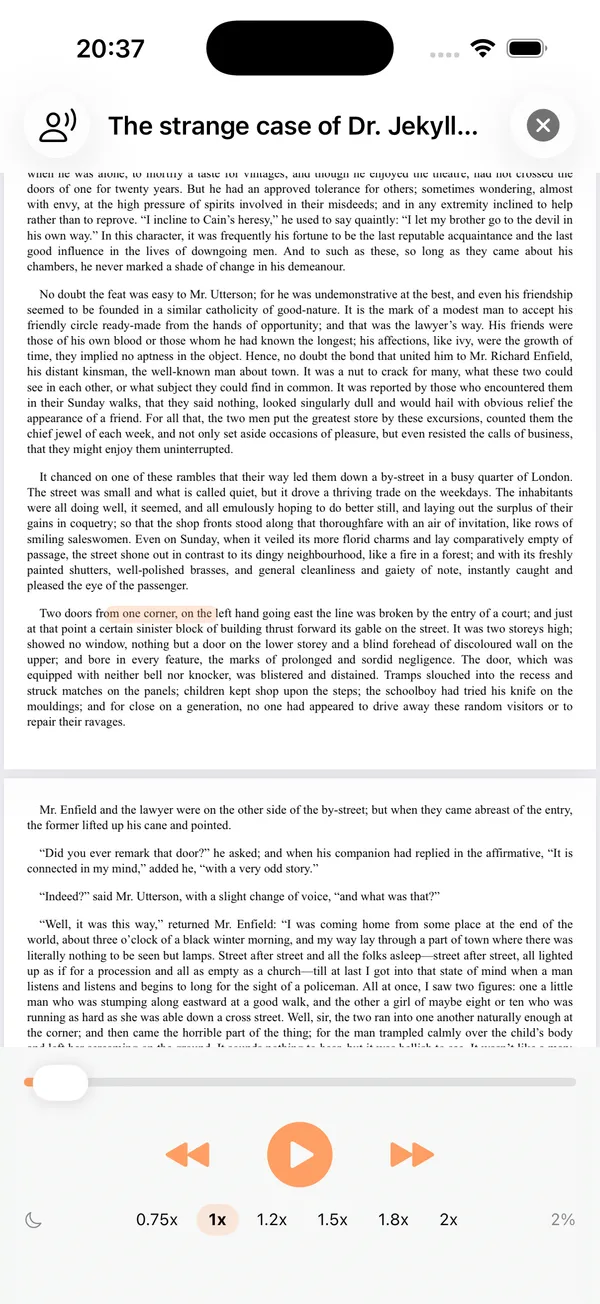
In your pocket.
Lock the phone and it keeps reading, with play and pause on the lock screen.
In the car.
SpeakCove plays through CarPlay, on the car’s own screen.
On a plane.
The voices run on the device, so it reads without a connection.
In bed.
Pick 5 to 60 minutes and the voice stops on its own.
On the home screen.
Your book is one tap away, from a widget on iPhone and iPad.
On paper.
Point the camera at a page. The text is recognized on the device, then read aloud.
Short answers.
Is SpeakCove free?
The web reader on this site is free: all 10 voices, 31 languages, no sign-up and no length limit. The iPhone and iPad app is free to download with 2 voices; a one-time $14.99 unlock adds the other 8, background and lock-screen playback and CarPlay. There is no subscription.
Are my files uploaded?
No. The web reader runs the voices and the text recognition inside your browser, so the file you open never leaves your device. The app reads on your phone, too.
Does it work offline?
The app does: its voices run on your phone, so it keeps reading in airplane mode. The web reader needs a connection to open the page; its voices download once, about 100 MB, and stay in the browser.